
Platform
Marketplace
Browse and record SkyPort marketplace installs.
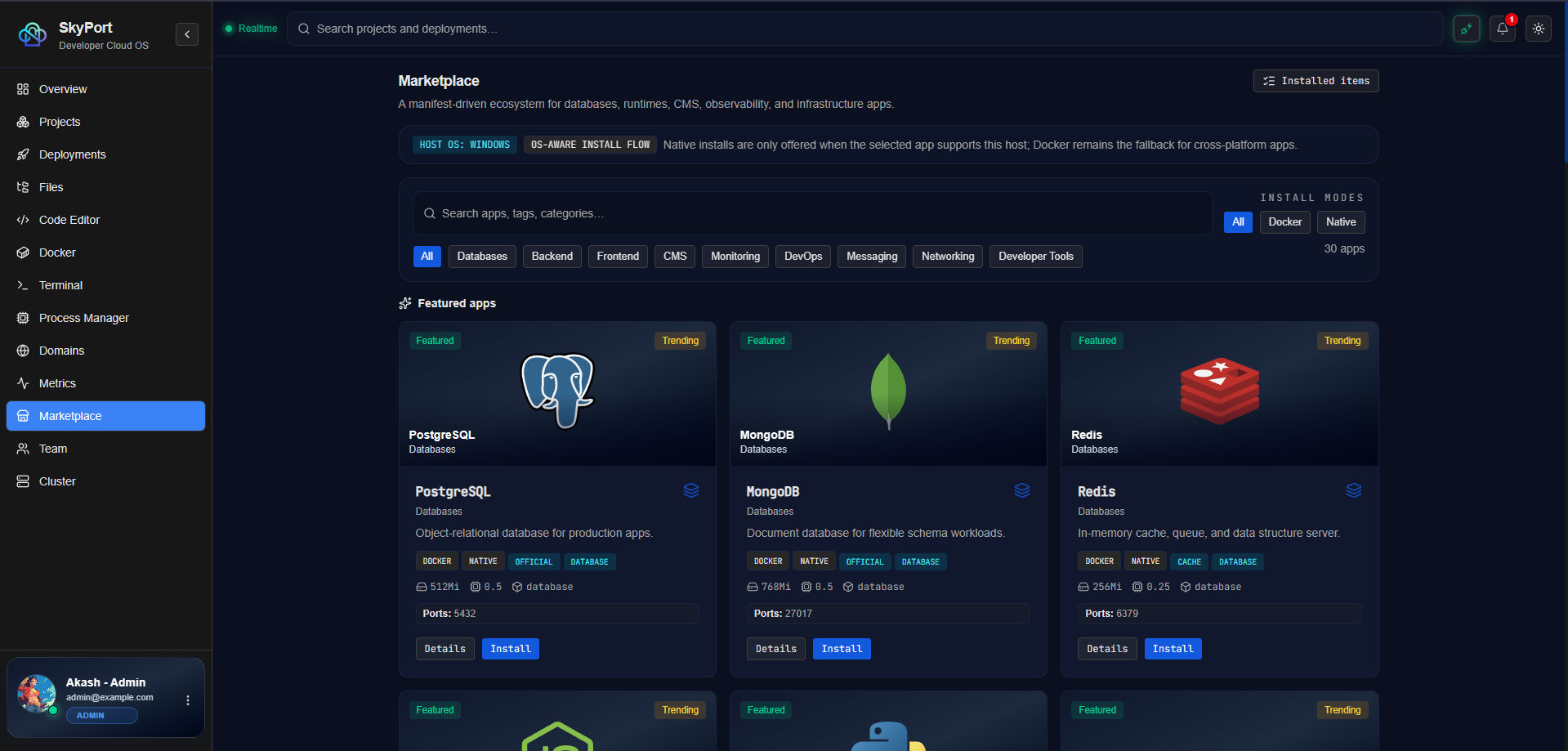
SkyPort exposes a marketplace catalog through the backend API. The catalog is a list of app manifests, not a registry service.
What The Marketplace Actually Does
- lists app manifests with categories, install modes, ports, and metadata
- serves icon assets for catalog entries
- records install events with a selected install mode
Catalog Example
terminal
skyport marketplace list
The returned catalog contains real metadata from the backend catalog, including entries such as databases, runtimes, developer tools, and monitoring apps.
Install Recording
The CLI records installs as native or Docker-based. It does not pretend to provision an entire app store backend.
terminal
skyport marketplace install --slug postgres --mode native
skyport marketplace install --slug redis --mode docker
Example Workflow
- Inspect the catalog.
- Choose an app slug.
- Record the install mode you actually used.
- Keep notes for operator history or audits.
Supported Install Modes
nativedocker
UI Notes
Next
- Read Monitoring to see how SkyPort reports runtime health.
- Visit Docker if your app runs in containers.
- Open Projects if you want the project layer above the catalog.