
CLI & TUI
Skyport TUI Overview
SkyPort's embedded terminal interface.
The SkyPort CLI and TUI give operators a terminal-first way to work with the platform. The CLI handles automation, while the TUI gives you a live keyboard-driven view of the same system.
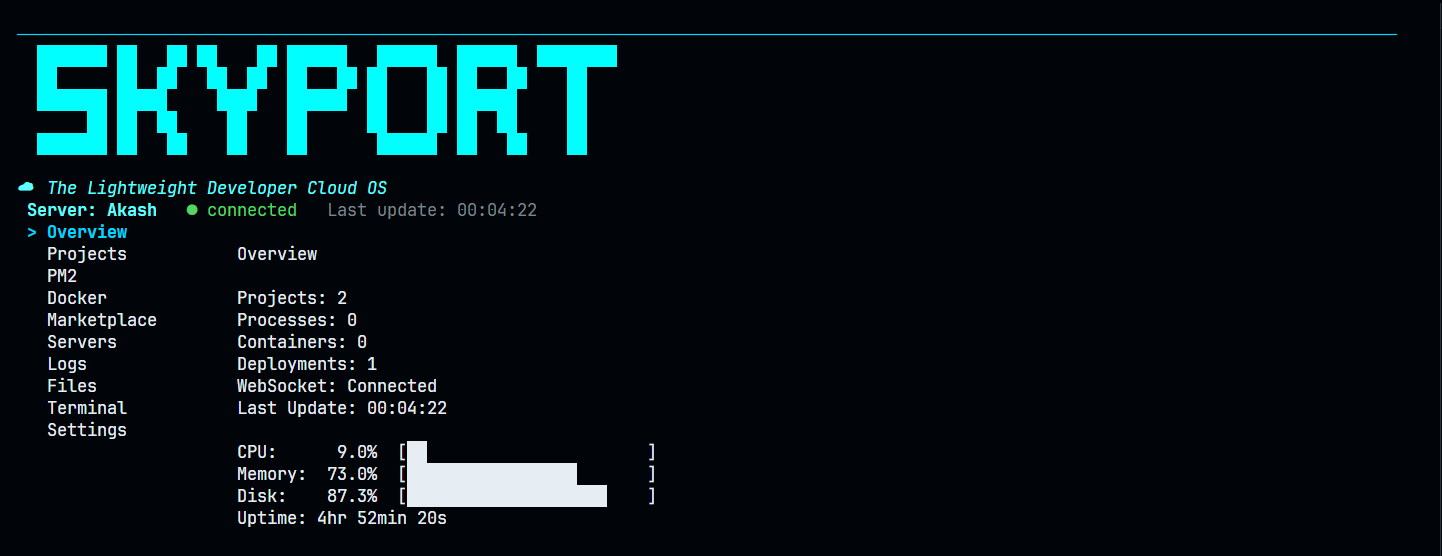
What It Shows
- Overview health and server identity
- Projects
- PM2 processes
- Docker containers
- Marketplace entries
- VPS servers and SSH access
- Logs
- File browsing and editing
- Terminal session state
Launch It
terminal
skyport start tui
If you have multiple server profiles, choose one first:
terminal
skyport --server production start tui
Keyboard Navigation
The TUI uses standard terminal controls:
q,esc, orctrl+cto quit- arrow keys for selection where lists are shown
- enter to open or activate a selected item
Practical Use
- Watch a deployment while a service starts
- Check host status without leaving the terminal
- Move from overview to logs or file browsing quickly
Documentation Rule
Only document views that exist in the codebase. Do not promise modules or panels that are not wired into the TUI model.
Next
- Read Installation for terminal setup.
- Open Commands for the CLI reference.
- Review Logs for the log-stream workflow.