Platform
Monitoring & Metrics
Real-time monitoring and metrics for SkyPort applications
Monitoring & Metrics
Real-time visibility into your infrastructure and applications.
Dashboard Metrics
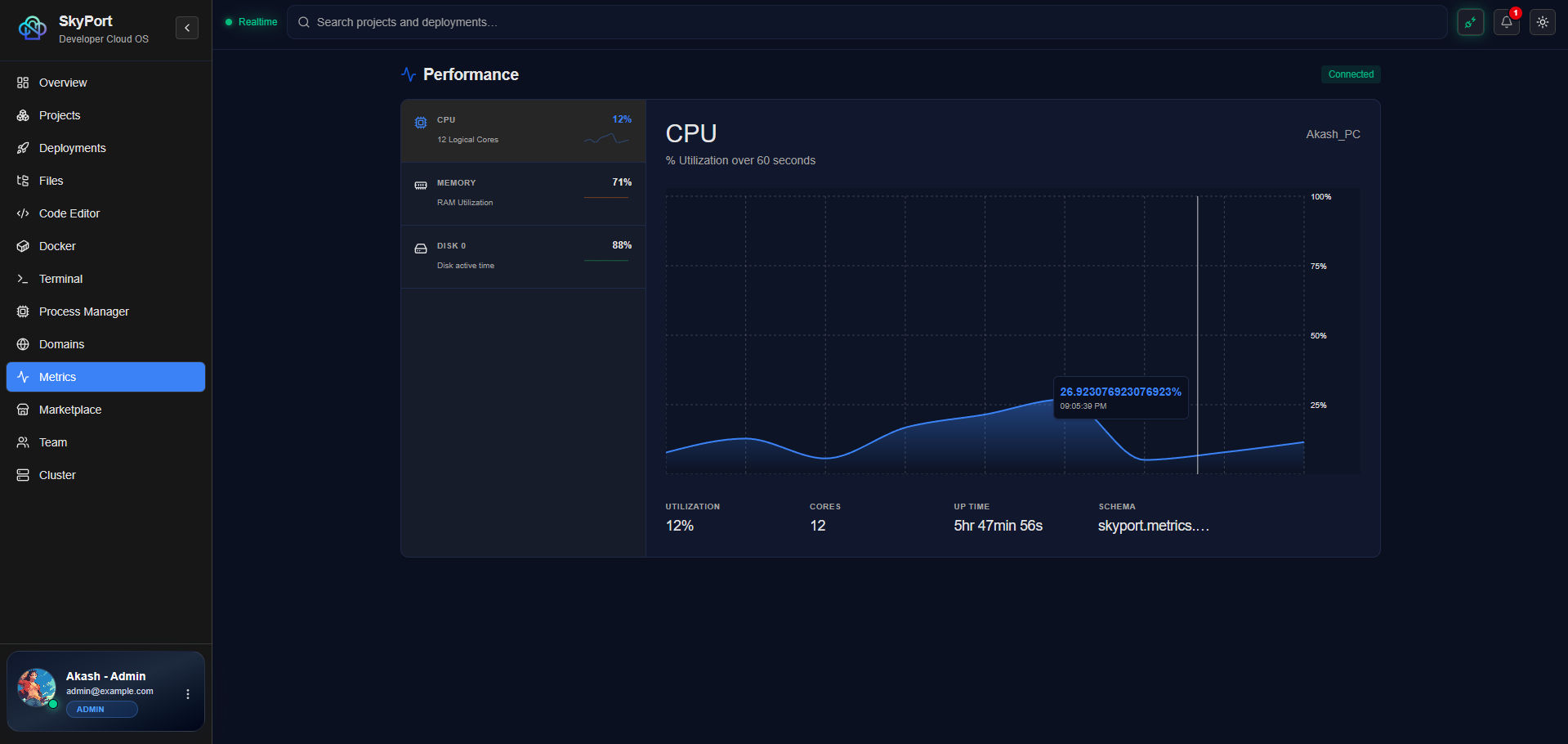
The SkyPort dashboard displays:
- CPU Usage - System and per-container CPU
- Memory Usage - System and per-container memory
- Disk I/O - Read/write operations
- Network I/O - Incoming/outgoing traffic
- Container Status - Running, stopped, error states
- Process Health - PM2 process status and restarts
- Uptime - Application and service uptime
CLI Metrics
System Metrics
# View system metrics
skyport metrics
# CPU usage
skyport metrics cpu
# Memory usage
skyport metrics memory
# Disk usage
skyport metrics disk
# Network metrics
skyport metrics network
Container Monitoring
# Container stats
skyport docker stats
# Specific container
skyport docker stats container-name
# View container resource limits
skyport docker inspect container-name | grep -E "Memory|Cpu"
Process Monitoring
# PM2 process stats
skyport pm2 monit
# Specific process details
skyport pm2 describe process-name
# Process logs
skyport pm2 logs process-name -f
Setting Resource Limits
Docker Container Limits
# Set memory limit
skyport docker update --memory 512m container-name
# Set CPU limit
skyport docker update --cpus 1 container-name
# Restart on memory overflow
skyport docker run -d \
--memory 512m \
--memory-swap 512m \
my-app:latest
PM2 Memory Restart
// ecosystem.config.js
module.exports = {
apps: [
{
name: 'app',
script: 'server.js',
max_memory_restart: '500M', // Restart if exceeds 500MB
},
],
};
Alerts & Notifications
CPU Alerts
Set up alerts when CPU exceeds threshold:
# Monitor CPU
skyport metrics cpu --watch
# Manual alert setup
if [ $(skyport metrics cpu | grep -oP '\d+') -gt 80 ]; then
notify_alert "CPU usage high"
fi
Memory Alerts
# Monitor memory
skyport metrics memory --watch
Disk Space Alerts
# Monitor disk
skyport metrics disk --watch
# Alert if disk > 80%
if [ $(skyport metrics disk | grep -oP '\d+') -gt 80 ]; then
notify_alert "Disk space running low"
fi
Log Aggregation
View Application Logs
# Docker logs
skyport docker logs container-name -f
# PM2 logs
skyport pm2 logs app-name -f
# System logs
skyport logs system -f
# Search logs
skyport logs -k "error" app-name
Log Retention
Configure log retention:
# Docker log driver
docker run -d \
--log-driver json-file \
--log-opt max-size=10m \
--log-opt max-file=3 \
my-app:latest
Prometheus Integration (Enterprise)
For advanced monitoring, use Prometheus:
# prometheus.yml
global:
scrape_interval: 15s
scrape_configs:
- job_name: 'skyport'
static_configs:
- targets: ['localhost:8080']
metrics_path: '/metrics'
Grafana Dashboards
Create custom dashboards in Grafana:
- Add SkyPort API as data source
- Create dashboard panels
- Set metric queries
- Configure alerts
Best Practices
- Monitor key metrics continuously
- Set up meaningful alerts
- Use log aggregation for troubleshooting
- Regular capacity planning reviews
- Baseline performance metrics
- Test alert notifications